
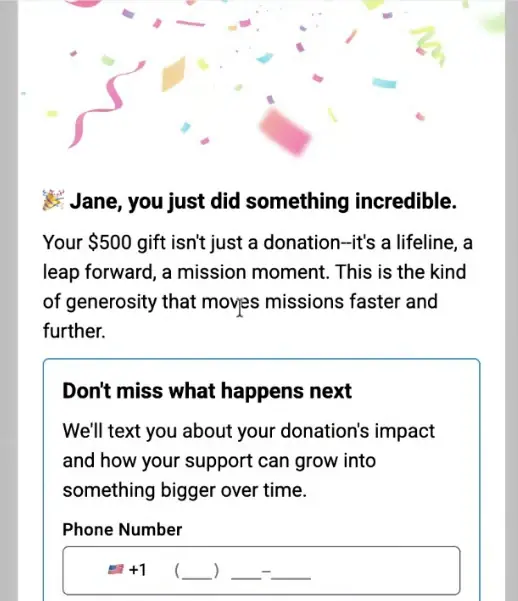
Only if iDonate doesn’t already have it. Phone number isn’t a required field on iDonate forms, so when a donor has given one, it carries forward. Otherwise they enter it at the text updates step.
iDonate and Powered By Text SMS & MMS Integration
Thank Donors the Moment They Give
When a donor gives on your iDonate form, they can opt in to text updates on the spot. Their info goes straight to Powered By Text, so your thank-you text can reach them within minutes.

Gift complete
Opted in to text updates
Sent instantly

Added to your opt-in group
Your text journey begins
The Struggle is Real
Are you experiencing this?
Thank-you texts wait on a CRM sync
New donors go quiet after one gift
Giving and texting live in separate tools
Follow-up depends on manual list exports
The Solution is Easy
Start the Conversation Right After the Gift
Built for Post-Donation Follow-Up
- Donors opt in to text updates on your iDonate form, right after they give.
- If iDonate already has their phone number, it carries forward.
- Their info reaches Powered By Text as soon as the gift is complete.
- Send a thank-you, an impact video, or a monthly giving invitation.
Why iDonate Users Choose Powered By Text
- A texting strategist who helps you plan the journey after the gift.
- A direct connection from your giving form, with no wait on your CRM.
- Proven strategies from Powered By Text experts.
- MMS video, images, and GIFs that show donors their impact.
Integration In Action
From Gift to Thank-You in Minutes
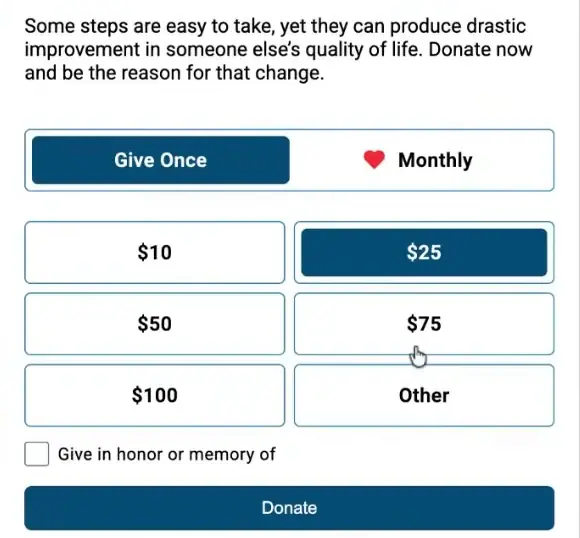
Here’s what the experience looks like for your donor, from the giving form to your first text.
- 1
They give
A donor completes a gift on your iDonate giving form.
- 2
They opt in
The form offers text updates as the next step. If iDonate already has their number, it’s filled in.
- 3
They connect
Their info goes to Powered By Text right away and lands in the opt-in group you chose.
- 4
They hear from you
Your automated text journey starts, typically within minutes.
Integration Features
Built Around the Moment of Giving
Your donor’s gift and your first text are connected in one flow, without changing how the rest of your systems work.
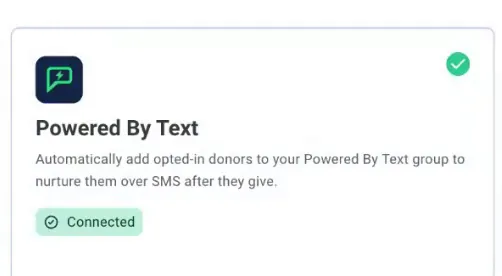
No Waiting on a CRM Sync
Donor info goes to Powered By Text through the API the moment a gift is complete. iDonate still sends the gift to your CRM through its own integration with Salesforce, Virtuous, Raiser’s Edge, or HubSpot.
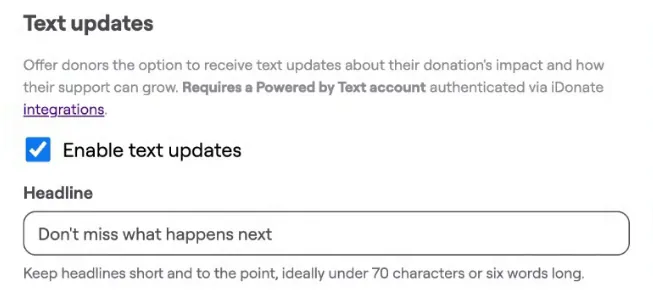
Consent Where Donors Give
A text updates option appears on your iDonate form right after the gift. Donors choose to join, so every text starts with their permission.
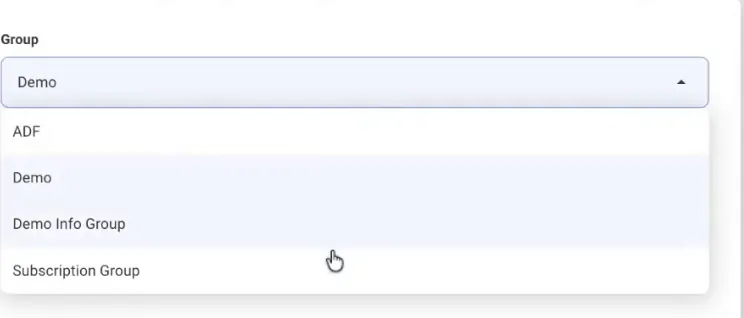
You Pick the Opt-In Group
During setup, you choose an opt-in group pulled straight from your Powered By Text account. New donors land there and enter the flow you’ve built.
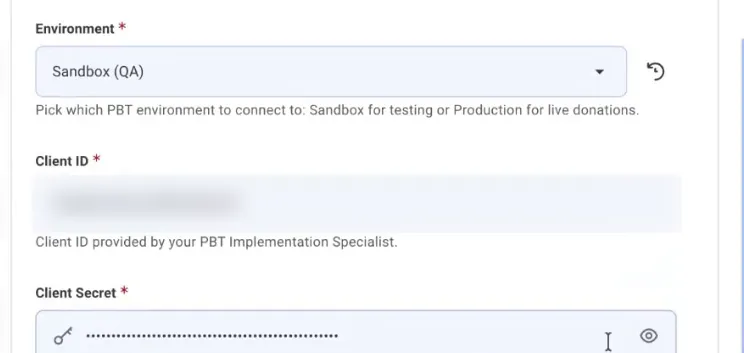
No Developer Needed
Connect the accounts in your iDonate admin with your Powered By Text credentials, then turn on text updates for each form you want.
Set it up in four steps
- 1
In your iDonate admin, go to Integrations > Powered by Text.
- 2
Enter your Powered By Text client ID and client secret.
- 3
Choose your division and the opt-in group for new donors.
- 4
Turn on text updates in your form editor, then run a test gift.
iDonate support helps with the giving form and the connection. Your Powered By Text strategist helps with the messages, timing, and opt-in group. See all of our integrations.

Designed for Compliance, Trust, and Scale
Simple to launch. Easy to manage. Built for scaling.

Enterprise-grade security

TCPA-compliant consent management

Built for nonprofit governance and reporting needs

Trusted by modern nonprofit fundraising teams
FAQ
Questions About the iDonate Integration
Quick answers for nonprofits and churches using iDonate.
How fast does a donor get the first text?
The handoff to Powered By Text happens as soon as the gift is complete. Donors can get your welcome or thank-you text within minutes, depending on how you build your flow.
Does this replace our CRM integration?
No. iDonate still sends gifts to your CRM through its own integration. This adds a direct line to Powered By Text so your text follow-up doesn’t wait on the CRM.
Do we need a developer?
No. You connect the accounts in your iDonate admin using credentials from your Powered By Text account.
Is there an extra cost for the integration?
There’s no separate fee for the connection itself. iDonate and Powered By Text are priced separately.
What if we don’t use iDonate or Powered By Text yet?
Fill out the form below. We’ll connect you with the right team, whether that’s ours, iDonate’s, or both.

Ready to Connect iDonate and Powered By Text?
Tell us where you are today. A Powered By Text strategist will follow up to help you connect iDonate, plan your first text journey, or both.
Tell us about your organization
We’ll follow up with next steps for your setup.
By submitting, you agree to receive texts and emails from Powered by Text about this request. Message and data rates may apply. Reply STOP to opt out at any time.

